One clear reference
One smiling adult portrait. The result stays playful, not gory.
The image is a concept preview, not a generated-video result. Your output will vary with the source photo and model run.
 ZOMBIE COUPLE.CUSTOM
A moonlit fair, a smile, a pass of mist, and a playful undead reveal.
Read the full guideOne photo defines the face. Seedance 2.0 builds a new 15-second story around it.
✧ Failed generations return reserved credits. View pricing
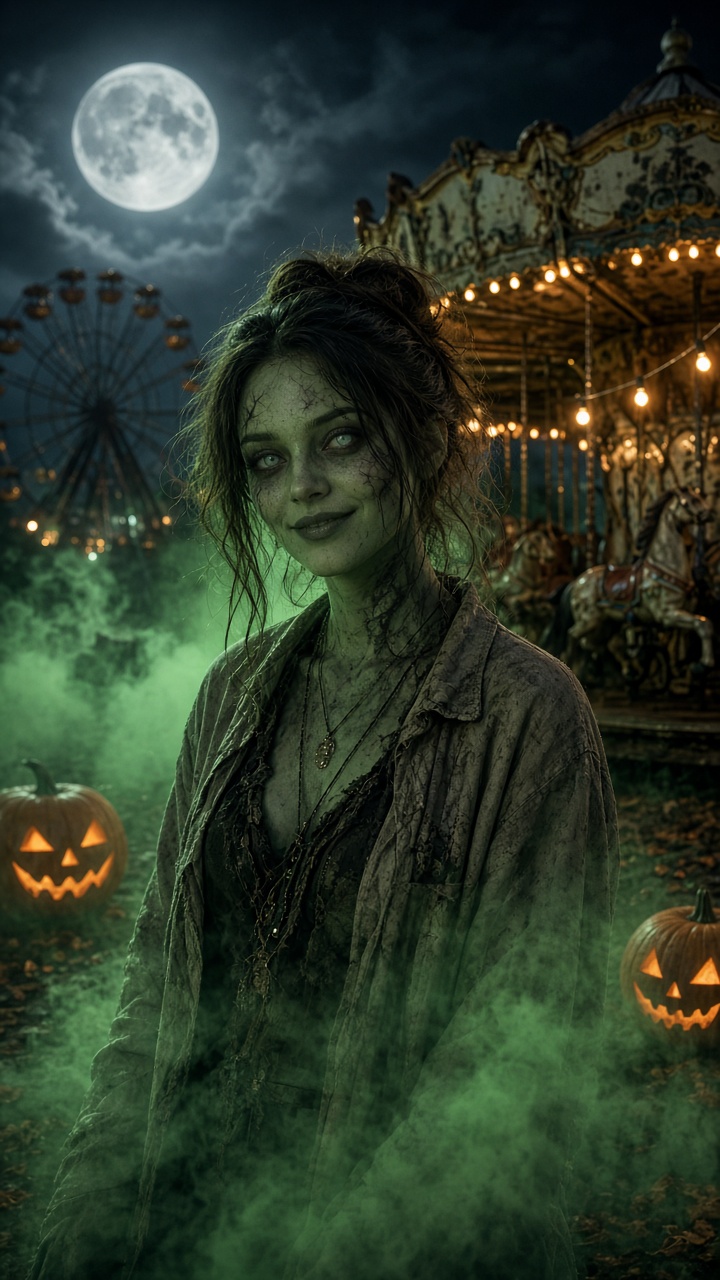 SCENE PREVIEW
Your generation will be a new result.
Scene preview.
Generated results will vary.
This scene has its own setting, action sequence, camera direction, sound design, and safety constraints.
One smiling adult portrait. The result stays playful, not gory.
The image is a concept preview, not a generated-video result. Your output will vary with the source photo and model run.
Create a 15-second playful Halloween reveal in vertical 9:16. The person is reference image 1. Keep their face and hair. 0-4s: night at an abandoned fair with a Ferris wheel, a worn carousel, and a few warm string lights. The person smiles at the camera. 4-8s: a thin green mist passes. Their skin shifts to grey-green and their eyes cloud, like movie makeup. No blood or wounds. 8-15s: they strike a playful undead pose among the lights, then the camera eases back to show the fair. Sound design: use cool night wind, distant carousel mechanics, a soft Ferris-wheel creak, and sparse fairground bulbs buzzing. Synchronize a playful airy whoosh with the green mist and a small costume rustle with the pose. Add a quirky original plucked-music motif with no recognizable tune, mixed below the ambience. No growling or frightening screams. Keep identities, markings, hair, and clothes consistent. Clean costume makeup only: no blood, wounds, exposed flesh, or gore. Keep audio synchronized, clean, and naturally stereo. No spoken dialogue, voice-over, screaming, recognizable melody, copyrighted recording, abrupt clipping, or overpowering music. No text, subtitles, watermark, or logos.
Your directing debut can be this simple.
One clear, authorized adult portrait for each role.
Classic, tender, warm, or dramatic. The core story stays recognizable.
Pick Seedance 2.0 or MiniMax H3 in HD, then review both identities through the hard cut.
A few answers before you hit create.
Still have a question?Zombie Couple Custom turns two authorized portrait photos into a fictional 15-second love story: one person has turned into a non-gory zombie, the other lowers a weapon and embraces them, and the scene hard-cuts to a warm memory.
Couple, pet, and hug stories use two photos. Transformation, apocalypse, Halloween, and werewolf stories use one. Use one adult or one pet per photo, facing the camera in even light.
Choose Seedance 2.0 (HD 720P) or MiniMax H3 (HD 768P, the closest H3 format) through SeeAPI. Seedance 2.0 is the default.
A 15-second Seedance 2.0 HD 720P video costs 100 site credits, or $9.90. A 15-second MiniMax H3 HD video costs 70 site credits, or $6.99. Failed jobs return the credits reserved for that job.
No. The prompt asks for grey skin, cloudy eyes, faint veins, and dusty clothing without blood, wounds, exposed flesh, or gore.
No. The examples show the story shape. The selected model creates a new result from your photos and the written direction.
Only when that adult agreed to this use. Do not use public figures, minors, or photos intended to deceive, harass, or imply a real event.