
Zombie Couple Custom Tutorials & Guides
A little direction makes a better big take. Practical guides for the photo, the prompt, the performance,
and everything that happens after you hit create.
 THE TREND, EXPLAINED
What Is the AI Zombie Couple Custom Trend?
Learn how the AI zombie trend turns two authorized portraits into a cold standoff, an impossible embrace, and a golden-memory love story with a clear 15-second structure.
How to Make a Zombie Couple Custom Video
Prepare two clear portraits, assign the turned and surviving roles correctly, choose an emotional scene, generate the 15-second story, and review common identity and motion problems.
Zombie Couple Custom Prompt: Build the Story Beat by Beat
Build a stronger Zombie Couple prompt with clear identity roles, timed actions, one camera plan, cold-to-gold color direction, synchronized audio, and practical non-gory constraints.
Best Photos for a Zombie Couple Custom Video
Choose two clear, authorized portraits that help Seedance 2.0 distinguish each role, preserve recognizable faces through motion, and create a cleaner hard-cut memory transition.
How to Fix Face Drift in a Zombie Couple AI Video
Find where identity begins to change, improve the weaker portrait, simplify optional direction, and set realistic expectations when either face drifts during a Zombie Couple story.
Make a Zombie Couple Video for TikTok and Instagram
Prepare a vertical AI zombie love story for TikTok or Instagram, then check its opening, interface-safe framing, generated audio, music rights, disclosure, and final exported file.
Zombie Pet AI Video: A Two-Photo Love Story Guide
Choose a pet-and-owner or two-pet scene, preserve recognizable fur and markings, check paws and synchronized audio, and review the fictional reunion responsibly before sharing.
Photo 1 vs Photo 2: Assign Zombie Couple Roles Correctly
Understand who belongs in Photo 1 and Photo 2, how upload order controls the transformed and surviving roles, and why reversed files should be swapped instead of corrected with prompts.
Original Audio in AI Zombie Videos: What You Actually Get
Understand what Seedance-generated ambience and synchronized effects include, why trend references do not provide music rights, and how to check speech, clipping, timing, and replacement audio.
Responsible AI Likeness Use in Zombie Couple Videos
Use a practical checklist for specific consent, respectful likeness review, private portrait processing, deletion controls, fictional context, and synthetic-media disclosure before publishing a two-person Zombie Couple story.
Zombie Couple Video Review Checklist Before You Share
Inspect both identities, hands, contact, background continuity, the cold-to-gold hard cut, generated audio, publishing rights, disclosure, and your downloaded file before sharing a Zombie Couple video.
Seedance 2.0 Cost for a 15-Second Zombie Couple Video
See how 15 seconds of Seedance 2.0 HD generation converts into provider credits, estimated direct model cost, site credits, retail pricing, and the limits of a dated pricing calculation.
How to Make the Moonlit Snowfield Zombie Video
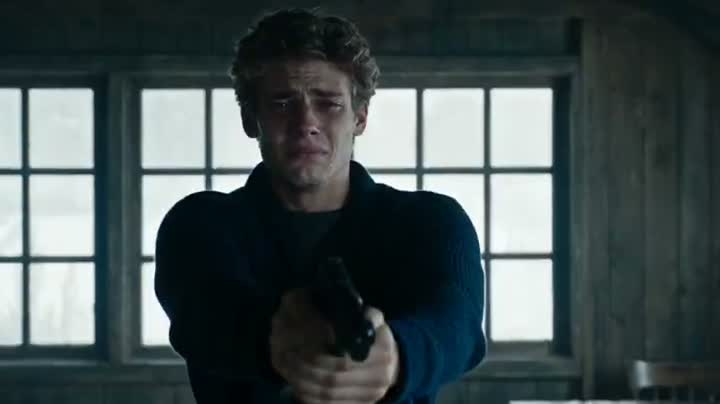
Cast Photo 1 as the person in the snow and Photo 2 as the partner who lowers the shotgun, then review the hard cut into the golden field.
How to Make a Zombie Transformation Video
Use one clear adult portrait for a 15-second close change: grey-green skin, cloudy eyes, one head tilt, and a face that still reads as the same person.
How to Make a Zombie Apocalypse Video
Cast one survivor in a wet dawn alley, keep the distant crowd faceless, and check the grey hand and the window reflection at the end.
How to Make a Playful Halloween Zombie Video
Start from one smiling portrait, keep the abandoned-fair reveal light, and separate this 15-second costume beat from the scarier Halloween trends.
How to Make the Four-Costume Halloween Video
Use one upper-body or full-body photo so a witch, a vampire cape, skeleton paint, and a pirate coat can each read in a 15-second spin.
How to Make a Werewolf Transformation Video
Use one front-facing portrait so the amber eyes, hand fur, pointed ears, and final howl stay tied to the same hair color and clothes.
How to Make an AI Hug Reunion Video
Upload two adult portraits in either order, keep the rooftop run and spin readable, and review both faces at the hug.
How to Make the Ghostface Call Video
Use one front-facing selfie for a 10-second 90s bedroom call: you stay on the phone while the masked figure creeps from the doorway to your shoulder.
How to Make a Pumpkin Head Photoshoot Video
Show your face for the opening hold, then let outfit and hair carry the jack-o'-lantern poses. One photo is the solo version; two photos make it a couple.
How to Make a Sheet Ghost Photoshoot Video
Keep the face visible at the start and when the sheet comes off, and use a photo that shows the jeans and shoes under the hem.
How to Make the Witch Costume Walk
Use one bare-headed portrait so the low camera can stalk in on the boots and rise to your face under a hat brim that sits back.
How to Make the La Calabaza Pet Dance
Upload one whole-body pet photo. Seedance copies the 14-second roadside dance with three copies of that pet, jack-o'-lanterns, and the trend sound.
How to Make the Nightwing Costume Trend
Pick the hero suit, fairy dress, or maid dress, then decide whether the 14-second clip keeps the trend sound that drops on the whip pan.
How to Make the Bad Times Halloween Video
Pick a vampire, witch, zombie, skeleton, or the costume in your photo, then keep or drop the trend sound on this 15-second fake argument.